
🤖 Working with LLMs Part 2 – Start Your LLM Journey with Ollama
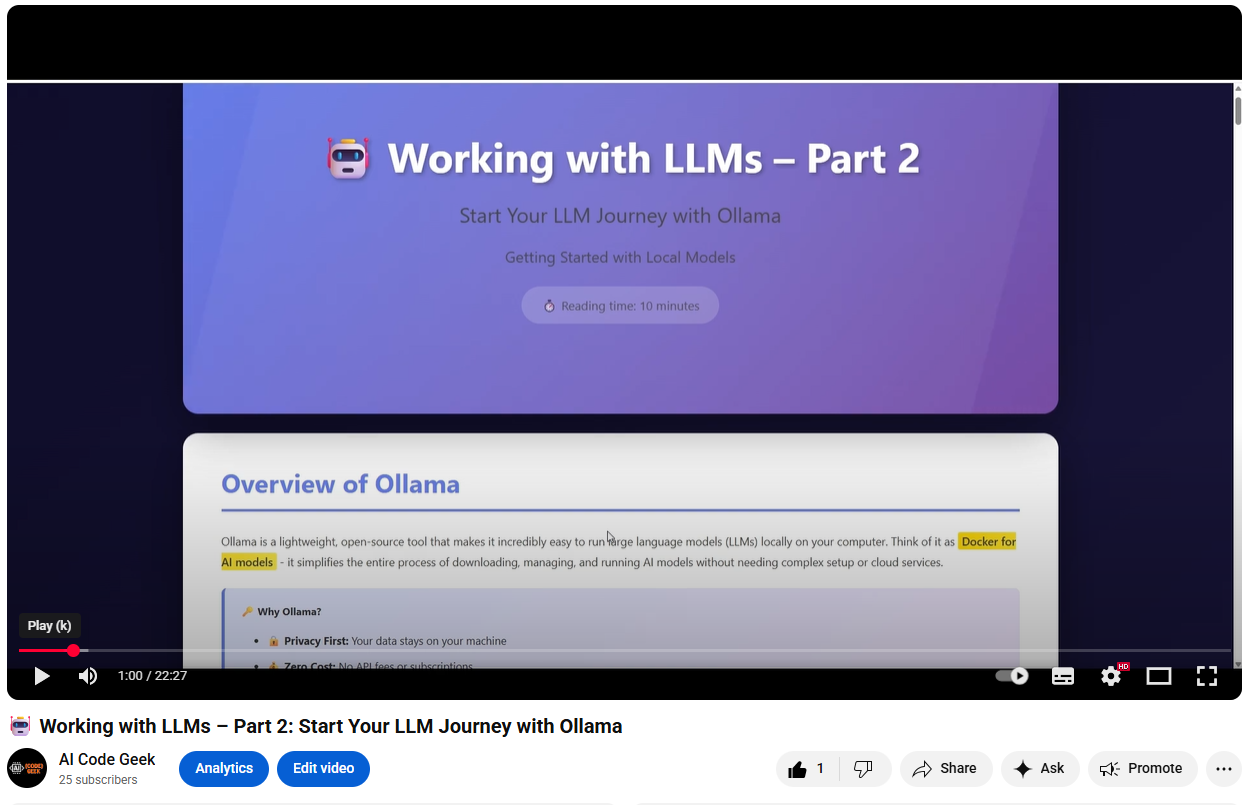
Ollama is a lightweight, open-source tool that makes it incredibly easy to run large language models (LLMs) locally on your computer. Think of it as **Docker for AI models** - it simplifies the entire process of downloading, managing, and running AI models without needing complex setup or cloud services.
📺 Tutorial Video
Overview of Ollama
Ollama is a lightweight, open-source tool that makes it incredibly easy to run large language models (LLMs) locally on your computer. Think of it as Docker for AI models - it simplifies the entire process of downloading, managing, and running AI models without needing complex setup or cloud services.
🔑 Why Ollama?
- 🔒 Privacy First: Your data stays on your machine
- 💰 Zero Cost: No API fees or subscriptions
- 📡 Works Offline: No internet required after download
- ⚡ Fast & Simple: Get started in minutes
- 🎛️ Full Control: Customize models to your needs
System Requirements
| Level | RAM | Storage | GPU |
|---|---|---|---|
| Minimum | 8GB RAM | 10GB free | Not required |
| Recommended | 16GB+ RAM | 20GB+ free | 6GB+ VRAM (NVIDIA) |
1. Installing Ollama on Windows
Method 1: Download Installer (Recommended)
- Visit
ollama.com/download - Click “Download for Windows”
- Run the downloaded
.exefile - Follow the installation wizard
- Ollama will start automatically
Method 2: Command Line (Advanced)
# Using PowerShell
winget install Ollama.Ollama
Verify Installation
Open Command Prompt or PowerShell and run:
ollama --version
You should see output like: ollama version 0.1.x
2. Ollama Basic Commands
Essential Commands Reference
# Pull (download) a model
ollama pull llama3.2

# List all downloaded models
ollama list

# Remove a model
ollama rm llama3.2

# Show model information
ollama show llama3.2

# Start the Ollama service
ollama serve
Popular Models to Try
llama3.2 (3B)
Fast, efficient, great for daily use
ollama pull llama3.2
mistral (7B)
Excellent reasoning
ollama pull mistral
phi3 (3.8B)
Microsoft’s model
ollama pull phi3
codellama (7B)
Specialized for programming
ollama pull codellama
📊 Model Size Guide
- 3B models: ~2GB download, runs on 8GB RAM
- 7B models: ~4GB download, needs 16GB RAM
- 13B models: ~8GB download, requires 32GB RAM
3. Starting Ollama
Automatic Start (Default)
On Windows, Ollama typically starts as a background service automatically after installation. Check the system tray for the Ollama icon.
Manual Start
If needed, start Ollama manually:
ollama serve
This starts the Ollama server on http://localhost:11434
Verify it’s Running
# In a new terminal
curl http://localhost:11434
✅ Expected Output: You should see: Ollama is running
4. Chat CLI - Interactive Conversations
Starting a Chat Session
ollama run llama3.2
This opens an interactive chat interface.
Example Conversation
>>> Hello! What can you help me with?

I'm an AI assistant ready to help you with:
- Answering questions
- Writing and editing text
- Explaining concepts
- Coding assistance
- Creative brainstorming

What would you like to know?

>>> Write a Python function to calculate fibonacci

def fibonacci(n):
    if n <= 0:
        return []
    elif n == 1:
        return [0]
    elif n == 2:
        return [0, 1]

    fib = [0, 1]
    for i in range(2, n):
        fib.append(fib[i-1] + fib[i-2])
    return fib

>>> /bye
Useful CLI Commands
| Command | Description |
|---|---|
/bye |
Exit the chat |
/clear |
Clear conversation history |
/show info |
Show model information |
5. REST API
Ollama provides a REST API that any application can use.
Basic Chat Request
curl http://localhost:11434/api/chat -d '{
  "model": "llama3.2",
  "messages": [
    {
      "role": "user",
      "content": "Why is the sky blue?"
    }
  ]
}'
Generate Endpoint
curl http://localhost:11434/api/generate -d '{
  "model": "llama3.2",
  "prompt": "Explain quantum computing",
  "stream": false
}'
API Endpoints
| Endpoint | Purpose | Method |
|---|---|---|
/api/generate |
Simple text generation | POST |
/api/chat |
Conversational chat | POST |
/api/tags |
List models | GET |
/api/pull |
Download model | POST |
6. Python SDK - Building AI Applications
Installation
# Install the Ollama Python library
pip install ollama
Basic Chat Example
import ollama

# Simple chat completion
response = ollama.chat(
    model='llama3.2',
    messages=[
        {
            'role': 'user',
            'content': 'Why is the sky blue?'
        }
    ]
)

print(response['message']['content'])
Streaming Responses
import ollama

# Stream responses for real-time output
stream = ollama.chat(
    model='llama3.2',
    messages=[
        {
            'role': 'user',
            'content': 'Tell me a story about a robot'
        }
    ],
    stream=True
)

for chunk in stream:
    print(chunk['message']['content'], end='', flush=True)
Text Generation
import ollama

# Generate text from a prompt
response = ollama.generate(
    model='llama3.2',
    prompt='Write a haiku about programming'
)

print(response['response'])
Multi-turn Conversation
import ollama

# Maintain conversation history
messages = [
    {'role': 'user', 'content': 'What is Python?'},
]

response = ollama.chat(model='llama3.2', messages=messages)
messages.append({'role': 'assistant', 'content': response['message']['content']})

# Continue the conversation
messages.append({'role': 'user', 'content': 'Show me an example'})
response = ollama.chat(model='llama3.2', messages=messages)

print(response['message']['content'])
List Available Models
import ollama

# Get all downloaded models
models = ollama.list()

for model in models['models']:
    print(f"Name: {model['name']}")
    print(f"Size: {model['size']}")
    print(f"Modified: {model['modified_at']}")
    print("---")
Custom Parameters
import ollama

# Use custom parameters for fine-tuned control
response = ollama.chat(
    model='llama3.2',
    messages=[
        {'role': 'user', 'content': 'Explain quantum computing'}
    ],
    options={
        'temperature': 0.7,  # Creativity level (0-1)
        'top_p': 0.9,        # Nucleus sampling
        'top_k': 40,         # Top-k sampling
        'num_predict': 200   # Max tokens to generate
    }
)

print(response['message']['content'])
💡 Pro Tips
- Temperature: Lower (0.1-0.3) for factual responses, higher (0.7-1.0) for creative content
- Stream: Use streaming for long responses to provide instant feedback
- Context: Keep conversation history in messages array for context-aware responses
- Error Handling: Always wrap API calls in try-except blocks for production code
7. Java SDK - Building AI Applications in Java
Maven Dependency
<dependency>
    <groupId>io.github.ollama4j</groupId>
    <artifactId>ollama4j</artifactId>
    <version>1.0.79</version>
</dependency>
Gradle Dependency
implementation 'io.github.ollama4j:ollama4j:1.0.79'
Basic Setup
import io.github.ollama4j.OllamaAPI;
import io.github.ollama4j.models.response.OllamaResult;

public class OllamaExample {
    public static void main(String[] args) {
        String host = "http://localhost:11434/";
        OllamaAPI ollamaAPI = new OllamaAPI(host);
        ollamaAPI.setRequestTimeoutSeconds(60);
    }
}
Simple Chat Completion
import io.github.ollama4j.OllamaAPI;
import io.github.ollama4j.models.response.OllamaResult;
import io.github.ollama4j.utils.OptionsBuilder;

public class ChatExample {
    public static void main(String[] args) {
        String host = "http://localhost:11434/";
        OllamaAPI ollamaAPI = new OllamaAPI(host);

        try {
            OllamaResult result = ollamaAPI.generate(
                "llama3.2",
                "Why is the sky blue?",
                new OptionsBuilder().build()
            );

            System.out.println(result.getResponse());
        } catch (Exception e) {
            e.printStackTrace();
        }
    }
}
Streaming Responses
import io.github.ollama4j.OllamaAPI;
import io.github.ollama4j.models.response.OllamaStreamHandler;

public class StreamExample {
    public static void main(String[] args) {
        String host = "http://localhost:11434/";
        OllamaAPI ollamaAPI = new OllamaAPI(host);

        try {
            ollamaAPI.generateWithStream(
                "llama3.2",
                "Tell me a story about a robot",
                new OllamaStreamHandler() {
                    @Override
                    public void accept(String token) {
                        System.out.print(token);
                    }
                }
            );
        } catch (Exception e) {
            e.printStackTrace();
        }
    }
}
Multi-turn Conversation
import io.github.ollama4j.OllamaAPI;
import io.github.ollama4j.models.chat.OllamaChatMessage;
import io.github.ollama4j.models.chat.OllamaChatMessageRole;
import io.github.ollama4j.models.chat.OllamaChatRequest;
import io.github.ollama4j.models.chat.OllamaChatResult;
import java.util.ArrayList;
import java.util.List;

public class ConversationExample {
    public static void main(String[] args) {
        String host = "http://localhost:11434/";
        OllamaAPI ollamaAPI = new OllamaAPI(host);

        // Create conversation history
        List<OllamaChatMessage> messages = new ArrayList<>();

        // First message
        messages.add(new OllamaChatMessage(
            OllamaChatMessageRole.USER,
            "What is Java?"
        ));

        try {
            // Get first response
            OllamaChatRequest request = OllamaChatRequest.builder()
                .model("llama3.2")
                .messages(messages)
                .build();

            OllamaChatResult result = ollamaAPI.chat(request);

            // Add assistant response to history
            messages.add(new OllamaChatMessage(
                OllamaChatMessageRole.ASSISTANT,
                result.getMessage().getContent()
            ));

            // Continue conversation
            messages.add(new OllamaChatMessage(
                OllamaChatMessageRole.USER,
                "Show me a Hello World example"
            ));

            request = OllamaChatRequest.builder()
                .model("llama3.2")
                .messages(messages)
                .build();

            result = ollamaAPI.chat(request);
            System.out.println(result.getMessage().getContent());

        } catch (Exception e) {
            e.printStackTrace();
        }
    }
}
List Available Models
import io.github.ollama4j.OllamaAPI;
import io.github.ollama4j.models.response.Model;
import java.util.List;

public class ListModelsExample {
    public static void main(String[] args) {
        String host = "http://localhost:11434/";
        OllamaAPI ollamaAPI = new OllamaAPI(host);

        try {
            List<Model> models = ollamaAPI.listModels();

            for (Model model : models) {
                System.out.println("Name: " + model.getName());
                System.out.println("Size: " + model.getSize());
                System.out.println("Modified: " + model.getModifiedAt());
                System.out.println("---");
            }
        } catch (Exception e) {
            e.printStackTrace();
        }
    }
}
Custom Parameters
import io.github.ollama4j.OllamaAPI;
import io.github.ollama4j.models.response.OllamaResult;
import io.github.ollama4j.utils.OptionsBuilder;

public class CustomParametersExample {
    public static void main(String[] args) {
        String host = "http://localhost:11434/";
        OllamaAPI ollamaAPI = new OllamaAPI(host);

        try {
            // Build custom options
            OptionsBuilder options = new OptionsBuilder()
                .setTemperature(0.7f)    // Creativity level
                .setTopP(0.9f)           // Nucleus sampling
                .setTopK(40)             // Top-k sampling
                .setNumPredict(200);     // Max tokens

            OllamaResult result = ollamaAPI.generate(
                "llama3.2",
                "Explain quantum computing",
                options.build()
            );

            System.out.println(result.getResponse());
        } catch (Exception e) {
            e.printStackTrace();
        }
    }
}
💡 Java Pro Tips
- Connection Pooling: Reuse OllamaAPI instances for better performance
- Timeouts: Set appropriate timeout values for long-running requests
- Exception Handling: Always wrap API calls in try-catch blocks
- Async Processing: Use CompletableFuture for non-blocking operations
Quick Start Summary
5-Minute Setup
# 1. Install Ollama
# Download from ollama.com/download

# 2. Download a model
ollama pull llama3.2

# 3. Start chatting
ollama run llama3.2

# 4. Use the API
curl http://localhost:11434/api/chat -d '...'
When to Use What
Use Cloud AI When:
- Need best AI quality
- Building for many users
- Don’t have powerful hardware
Use Ollama When:
- Privacy is critical
- Want zero costs
- Need offline capability
- Prototyping or learning
🚀 Start Building with LLMs Today!
Local AI • Private • Powerful • Free